Conditional Required — get the data you need before a lead is saved
Kommo can make a field required at a stage, but not “only when the payment method is Invoice and the budget is at least 10000”. Conditional Required lets an administrator write exactly such rules: up to five conditions (AND/OR) on field values, the sales value or the responsible user, optionally per stage. When a rule is broken, the lead is not saved: it stays open and a message names each missing field and the rule behind it. The rules work in the browser and the widget writes nothing to your CRM.
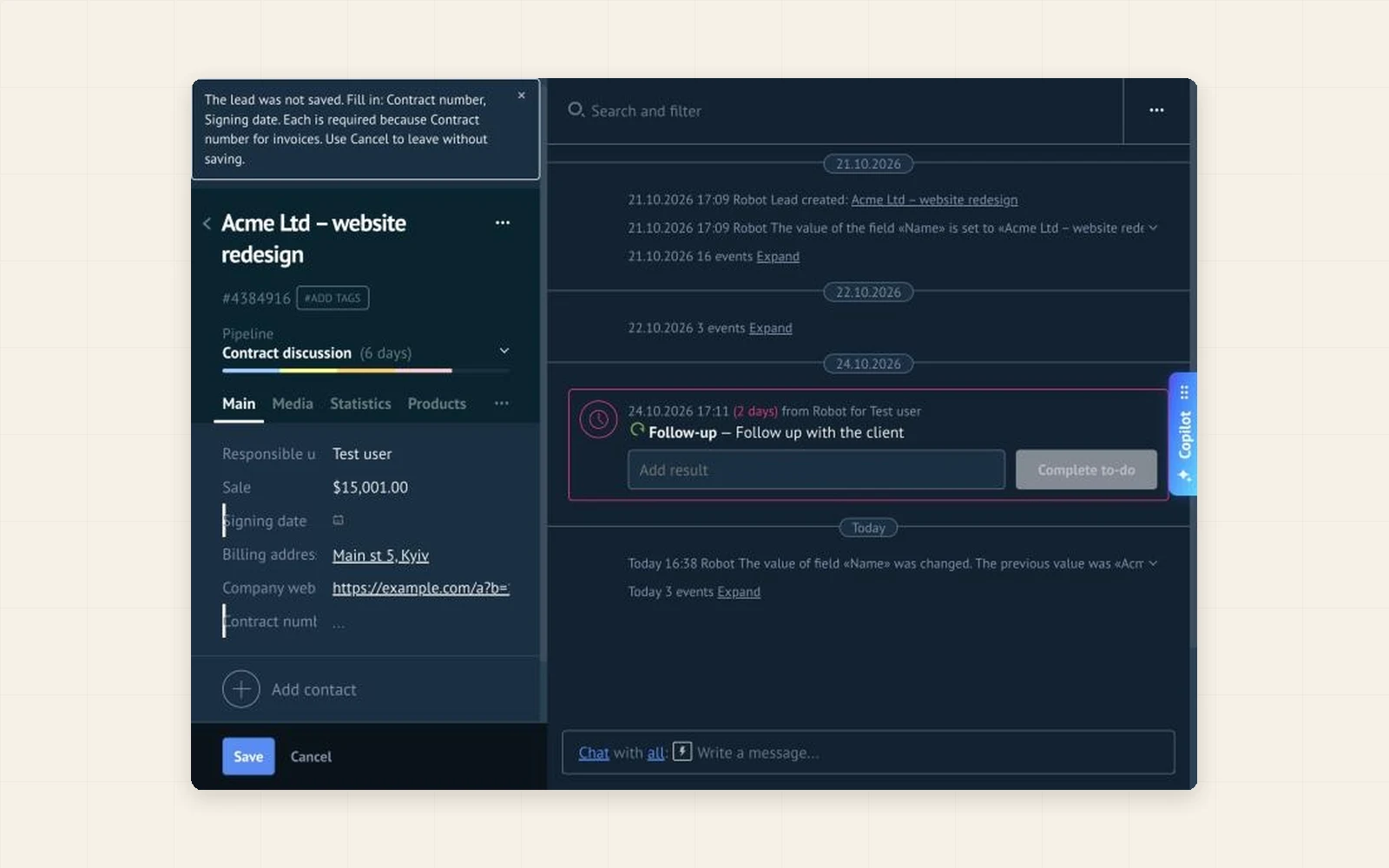
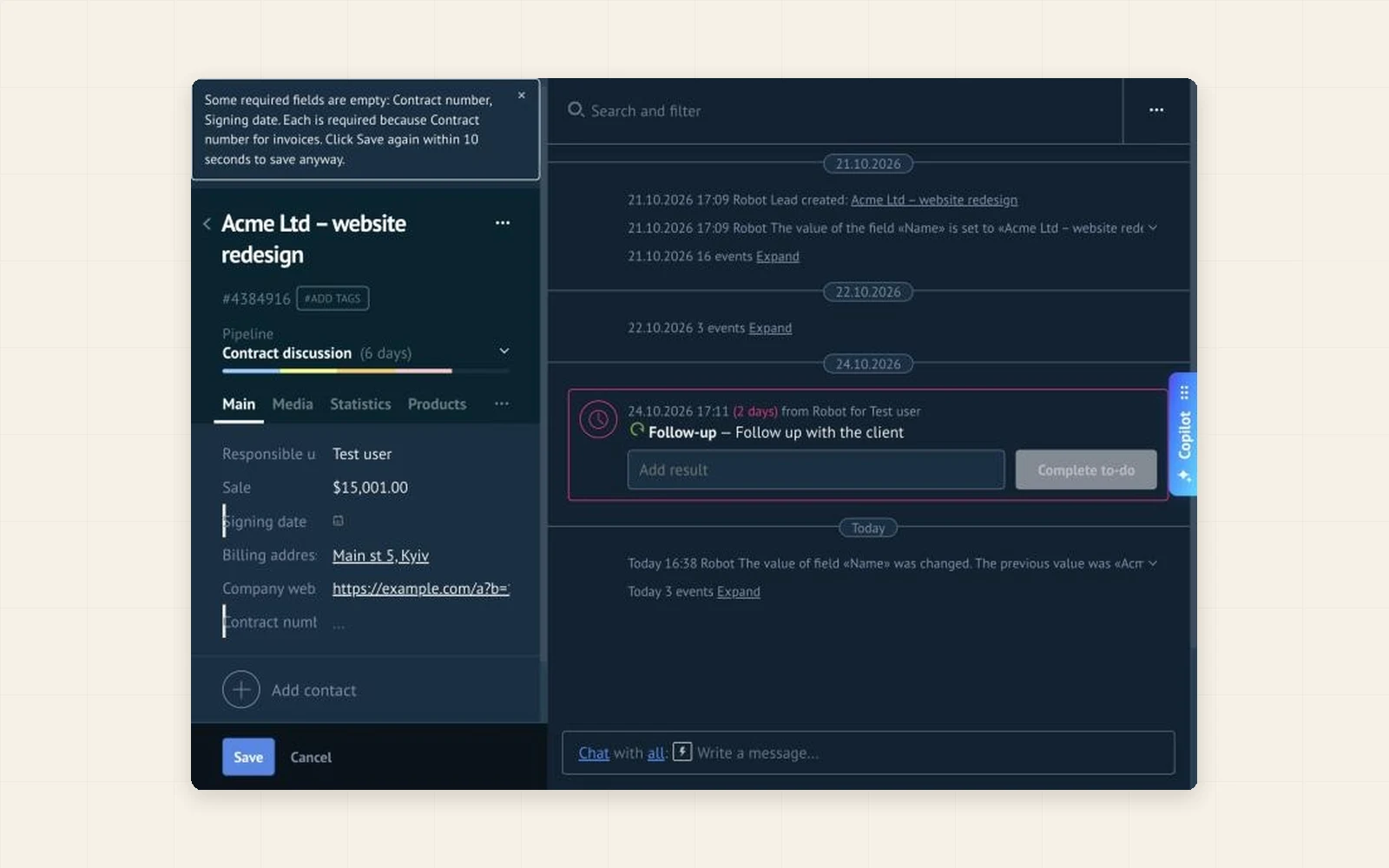
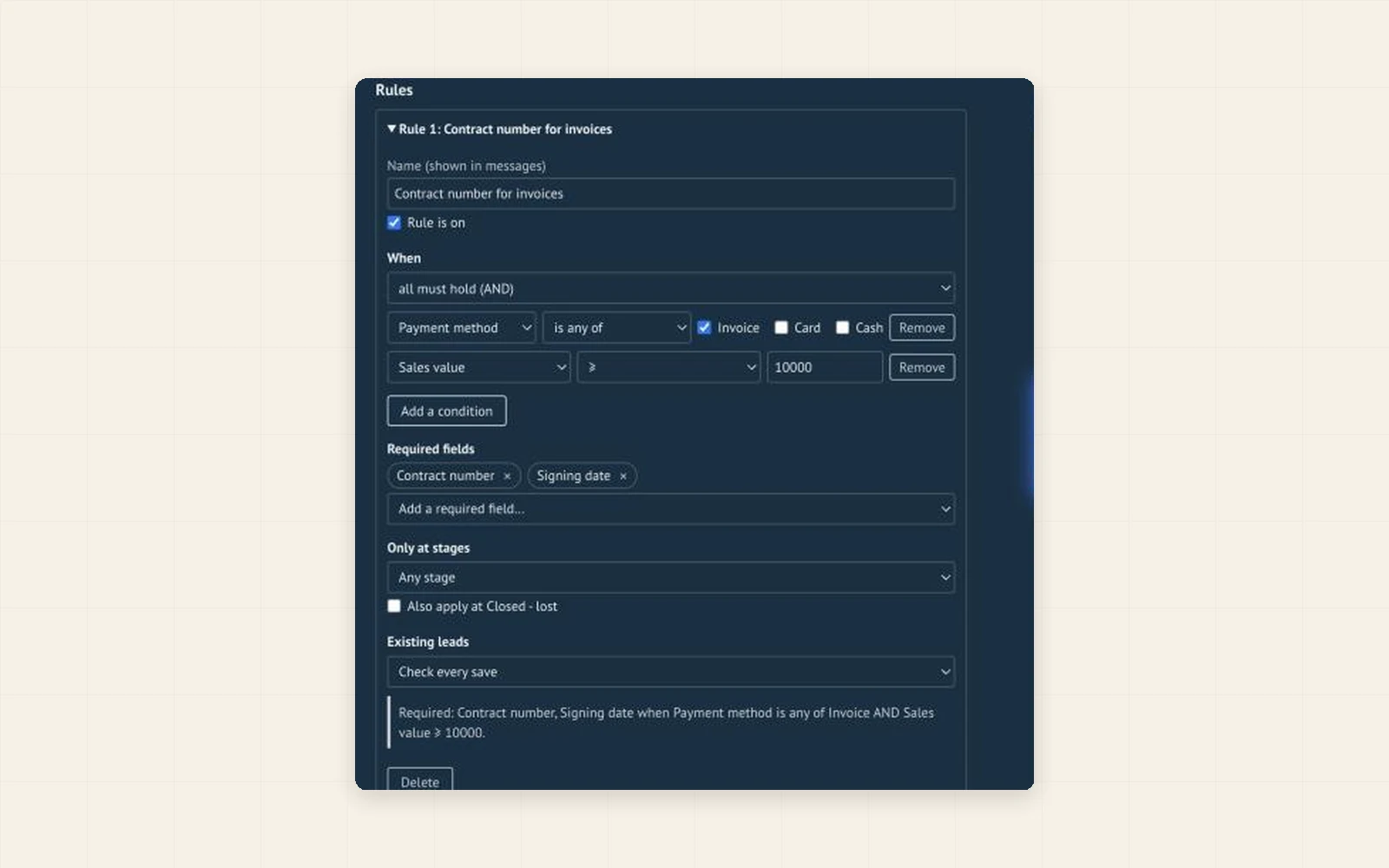
Write a rule for the case that matters, for example “Contract number is required when Payment method is Invoice”. The lead cannot be saved until the field is filled, and the message says why.
A field required at a stage is required for every lead there. A rule can depend on other fields, the budget or the responsible user, so it asks only where the data is really needed.
Start in the warn-first mode: the same message, and a second Save within 10 seconds goes through. Switch to blocking when the habit is there.
- Up to five conditions per rule, joined by AND or OR, on field values, the sales value or the responsible user
- Several required fields per rule; an optional filter by pipeline and stages
- Two modes: warn first (a second Save within 10 seconds goes through) and block the save
- A message that names each missing field and the rule behind it; the fields are marked
- Old leads that already break a rule can still be saved until the user changes something that makes it apply (or check every save)
- A rule that cannot be checked is switched off and never blocks; Cancel always lets the user leave
- A plain-language preview of every rule in the editor
- Light and dark theme; English, Spanish and Portuguese
- In Kommo, open Settings → Integration marketplace.
- Find Conditional Required by Ruta and click Install. The 14-day trial starts by itself.
- In the widget settings click Add a rule, choose the required fields and the conditions, pick what happens on a violation and click Save.
- Open a lead that matches the rule, leave a required field empty and click Save. Other users get the rules after they reload the page.
Why a field required at a stage is too blunt, and how to write rules like “Contract number is required when Payment method is Invoice” in Kommo.
How a company with invoice and card payments can ask for the contract number only where it is needed, first as a warning and then as a rule.
Can a user get around it?
The widget checks the Save of the lead card. It does not stop moving a lead on the pipeline board, bulk changes, imports, the API, robots or the mobile app. If your Kommo plan has the native “required for stages” option, it covers some of these.
Does the widget change my data?
No. It reads the open lead card and the lists of fields and pipelines from your own account, and writes nothing to your CRM. Lead data is not sent anywhere.
What if a field used in a rule is deleted?
That rule is switched off and the lead saves normally. The administrator sees what to fix; other users see only a short note.
Who can change the rules?
Anyone who can open the widget settings in the Integration marketplace, usually an administrator. The rules are the same for the whole account.
What happens when the trial or the paid period ends?
The widget stops checking and nothing is blocked. Your rules are kept and work again as soon as the license is paid.