A renovation company → no lead leaves a manager’s hands without a next step
Widget Mandatory tasks
- Scenario: a home renovation company with a sales cycle of several weeks: measurement, estimate, approval, contract
- Data: a demo Kommo account with made-up data, no real customer information. This is an illustration, not the story of a named client
- Setup: one switch and a mode in the widget settings; two stages cleared
- Comparison: the same lead card before the rule and with it
What goes wrong
A renovation deal takes weeks. Between the measurement and the signed contract a manager talks to the client five or six times, and after each talk something has to happen next: send the estimate, call back on Thursday, check with the foreman. The lead is only as alive as its next task.
In practice a manager finishes a call, writes a note and goes to the next lead. Three things follow:
- The lead has no task, so it does not show up in anyone’s day
- The head of sales finds such leads in a weekly filter and writes to managers one by one
- By then the client has already received an estimate from another contractor
Kommo shows a small “No tasks planned” hint in the card, but nothing prevents a user from walking away.
What you can do with Mandatory tasks
Install Mandatory tasks by Ruta and switch on “Require an open task to leave a lead”. Start with the soft mode for a week:
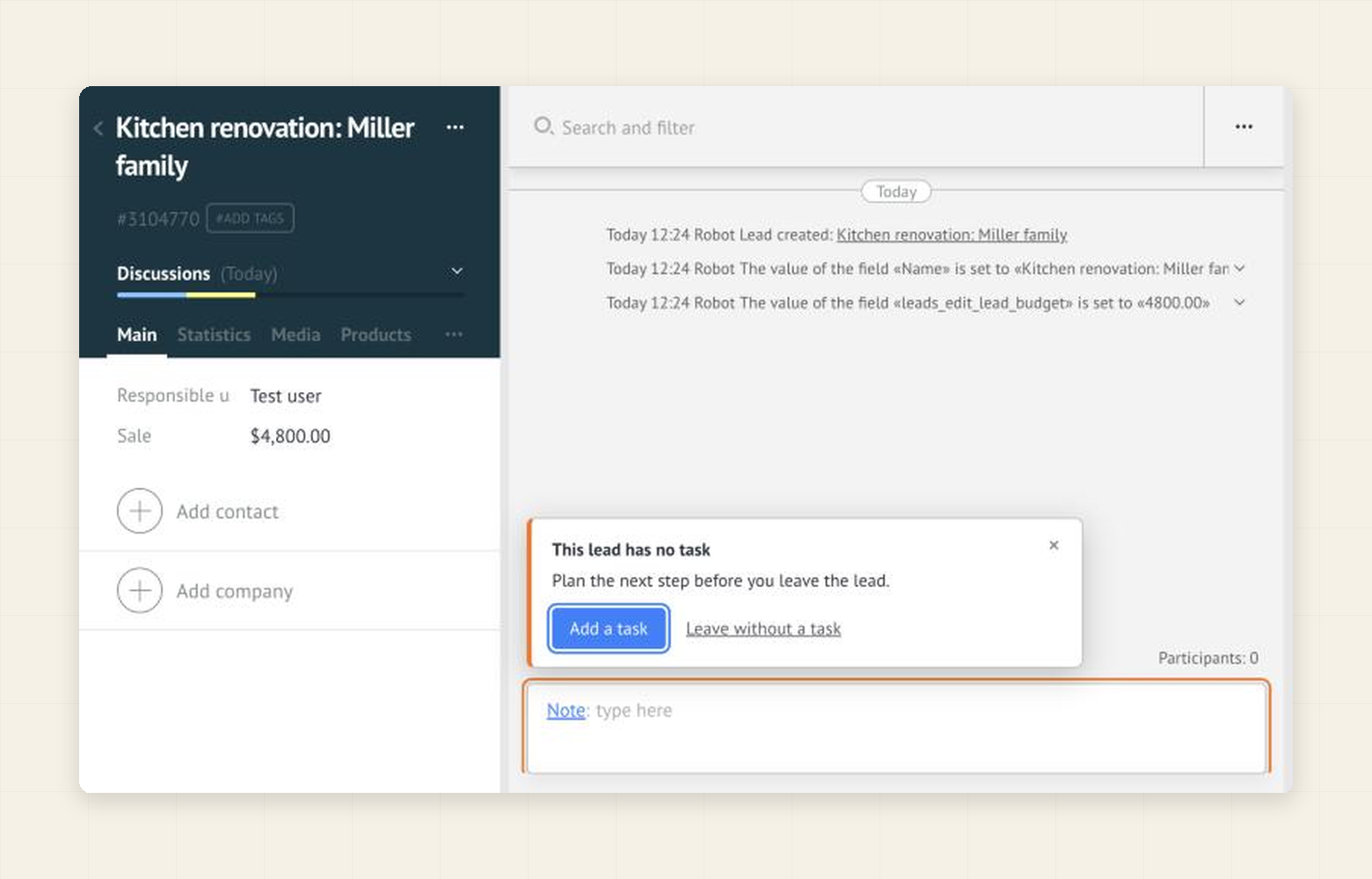
When a manager tries to leave a lead without an open task, the lead stays open and a notice appears above the feed. Add a task opens the usual Kommo task editor with its date presets. Leave without a task lets the manager go.
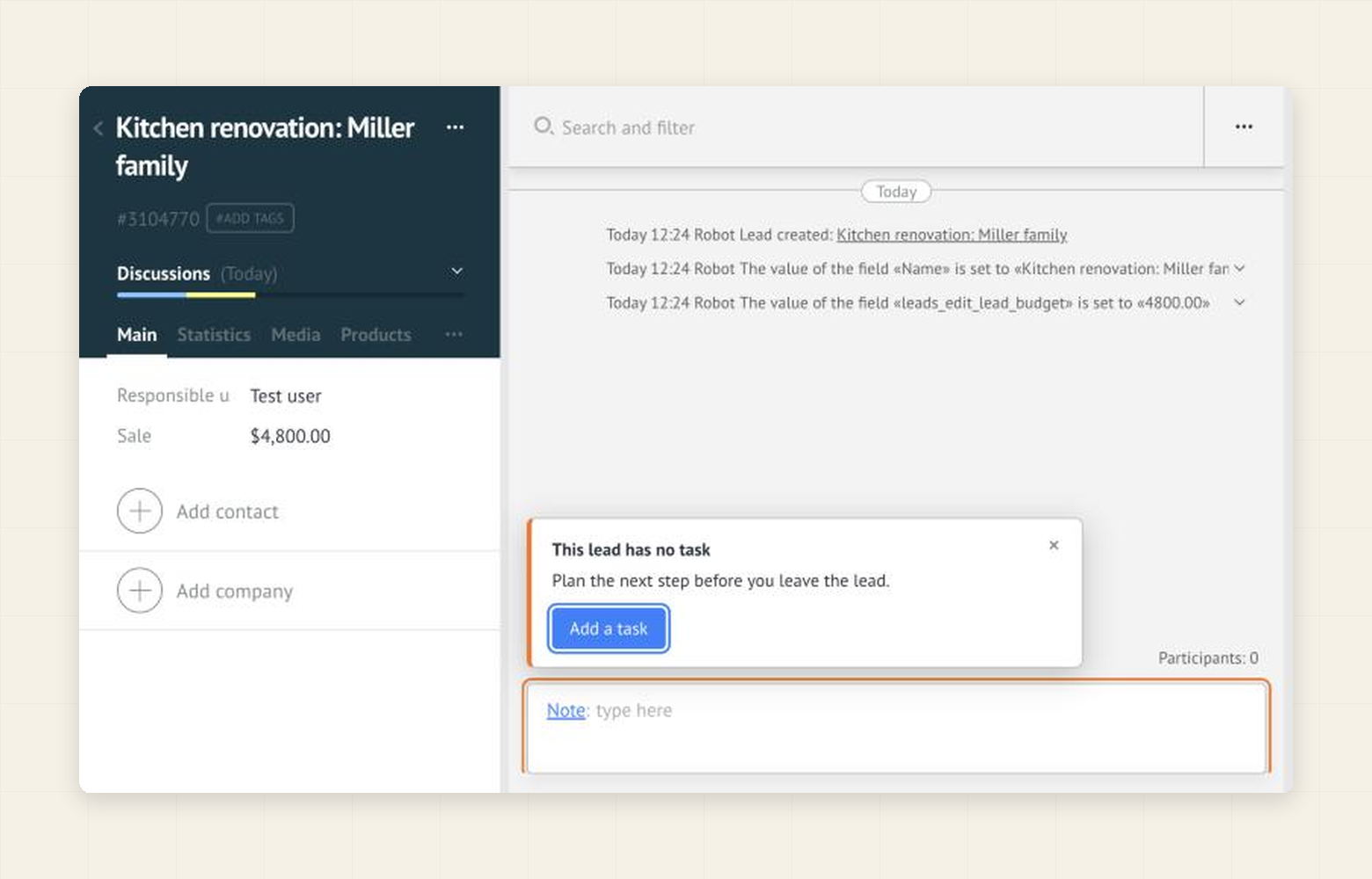
When the team is used to it, switch to the strict mode. The second button disappears: the only way out of the lead is to plan the next step.
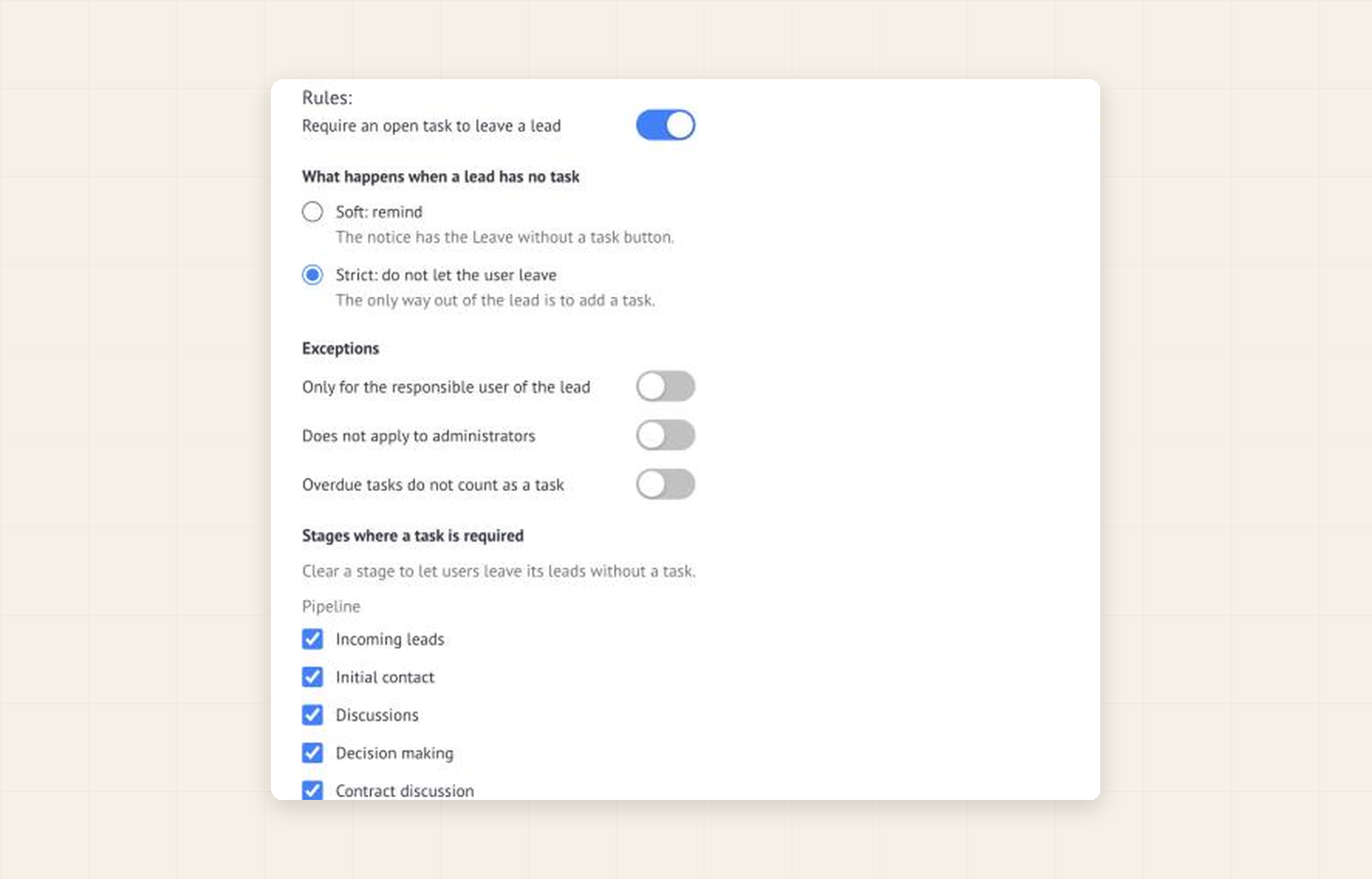
Then tune the rule to your process:
- Stages. Clear the stages where a task makes no sense, for example “Waiting for materials”. Closed stages never require a task.
- Responsible user only. A colleague who opens someone else’s lead to look something up is not stopped.
- Overdue tasks. Decide whether a task that is already overdue still counts as a next step.
What you can get
- Every lead a manager works on gets a next step. The rule acts at the moment of work, so there is nothing to collect afterwards.
- Less manual control. The weekly “leads without tasks” filter gets shorter, because such leads stop appearing after a manager’s visit.
- A gradual start. The soft mode builds the habit without a conflict; the strict mode keeps it.
Keep the limits in mind. The widget stops the usual ways out of a lead card: the back arrow, the menu, links and the browser’s Back button. It cannot forbid closing the browser tab (the browser only asks for a confirmation), and it does not cover stage changes on the pipeline board, bulk actions or the mobile app. It is a discipline tool, not a barrier. The rule works in the browser, the widget creates no tasks itself, and the price is per account: $60 for 6 months or $100 for 12, after a 7-day free trial.